
Your club under control, even when you're away
Every club runs on its own server, and the GameDesk cloud connects clubs with their owner and players: a browser dashboard, a Telegram bot and updates without a site visit.
Owner dashboard
From a phone or laptop browser you see all your clubs: the PC map, who is playing, revenue and the shift cash desk in detail. You see guest receipts with their balance, postpaid debts and the amount for every session. If the operator needs help, you can end a session or control a PC remotely. If the club loses its connection, the dashboard shows the last summary.
- All clubs in one dashboard
- Live cash desk and revenue
- Session and PC actions
Telegram bot for players
Players sign in on a PC by scanning a QR code with the bot - the account is created automatically. The bot shows the balance, current session and rewards, and sends top-up and time-up notifications.
- QR login on the PC
- Balance and session in Telegram
- Player notifications
Telegram broadcasts
Owners message their club's players: a morning-hours promo, a tournament, a new game. Audience filters, scheduled sending and delivery stats.
Updates without a site visit
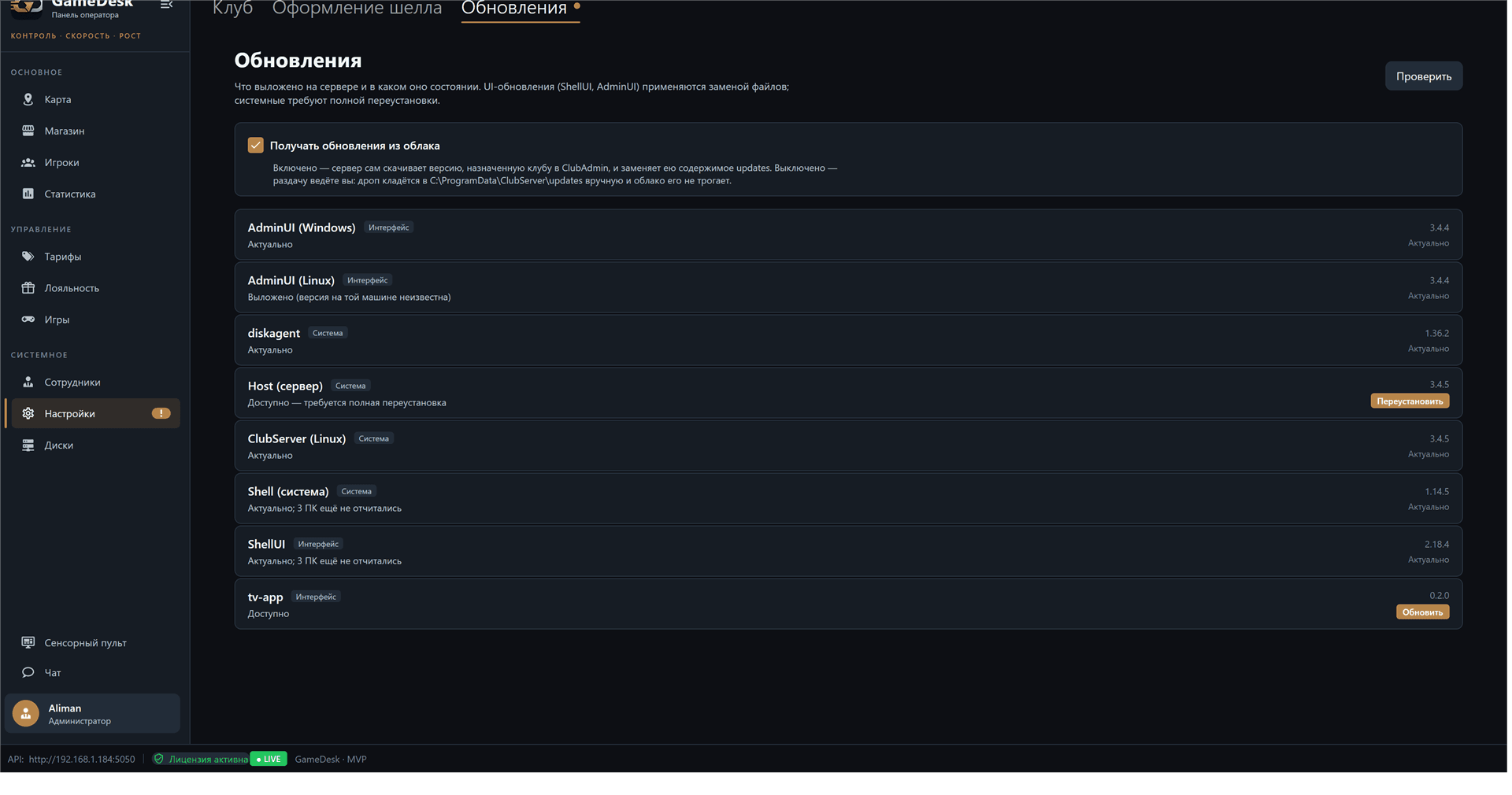
New versions of the shell, panel and server arrive at the club from the cloud. The panel shows what is installed, what is available and on how many PCs an update has been applied.
Bookings via Telegram
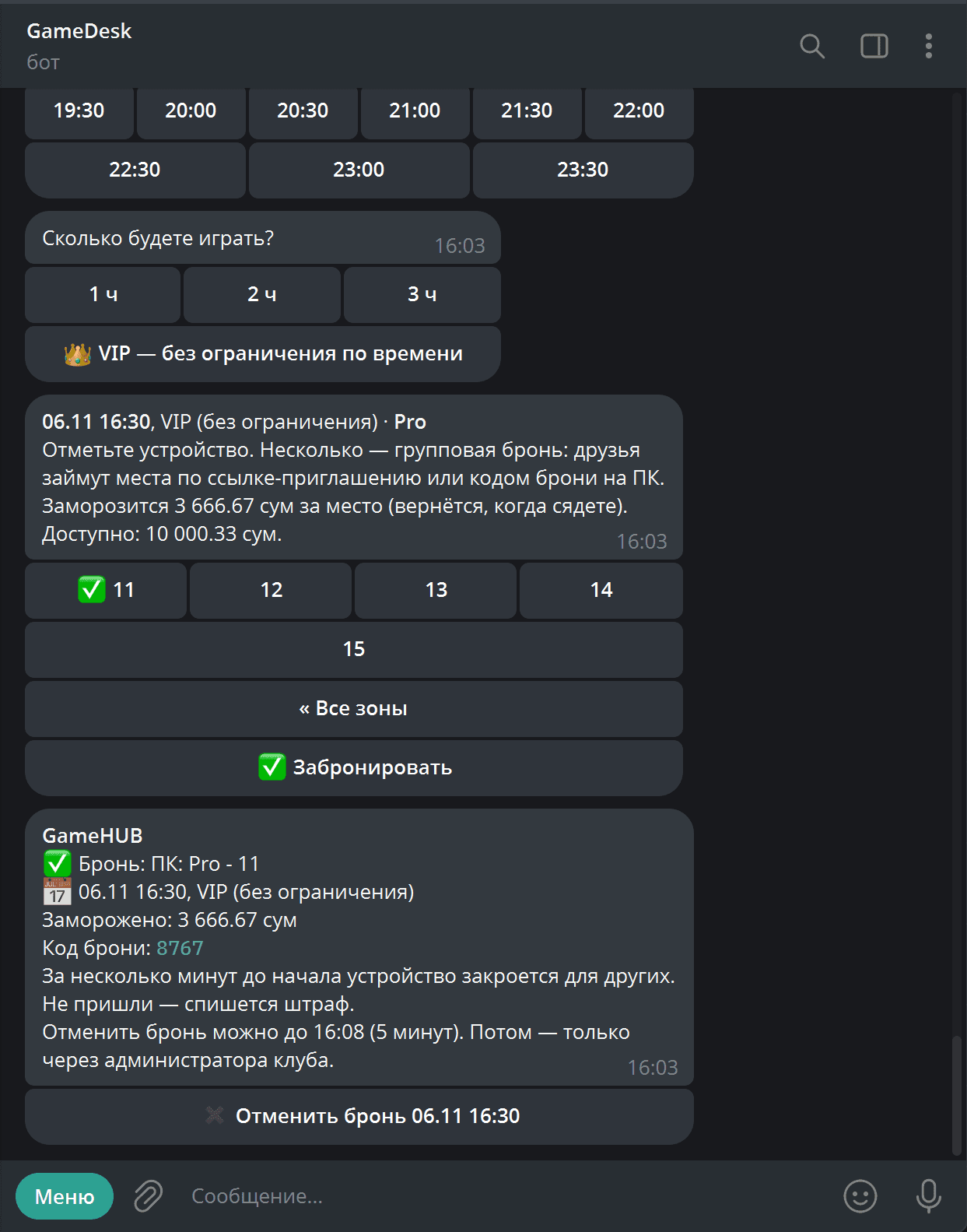
The player picks a day, a time and a specific PC in the bot, and the required amount is held on their balance until the booking starts. Several seats can be booked at once, with friends invited by a link. Before the booking starts a powered-off PC turns on by itself, and a few minutes earlier it locks for everyone else: only the booking owner or a friend with the code can sign in.
- Single and group bookings in the bot
- Amount hold and a no-show penalty
- Automatic PC wake-up and sign-in by booking code
- "PC booked soon" in the shell with a countdown
For club networks
Multiple clubs
One owner, any number of clubs, each with its own players, rates and cash desk.
Cloud updates
New versions reach the club automatically, and rollout can be enabled per club.
Onboarding by code
A new club connects with a one-time code from the dashboard - no manual setup.
Works offline
If the internet drops the club keeps running: sessions, cash and games live on the club server.
License and plan
The club's plan and available features are managed from the dashboard.
Secure link
The club connects to the cloud itself over a secure channel - no ports to open.
See the owner dashboard
We'll open a demo dashboard and the bot so you see the club through the eyes of an owner and a player.
Request a demo