
Everything a player sees at the PC
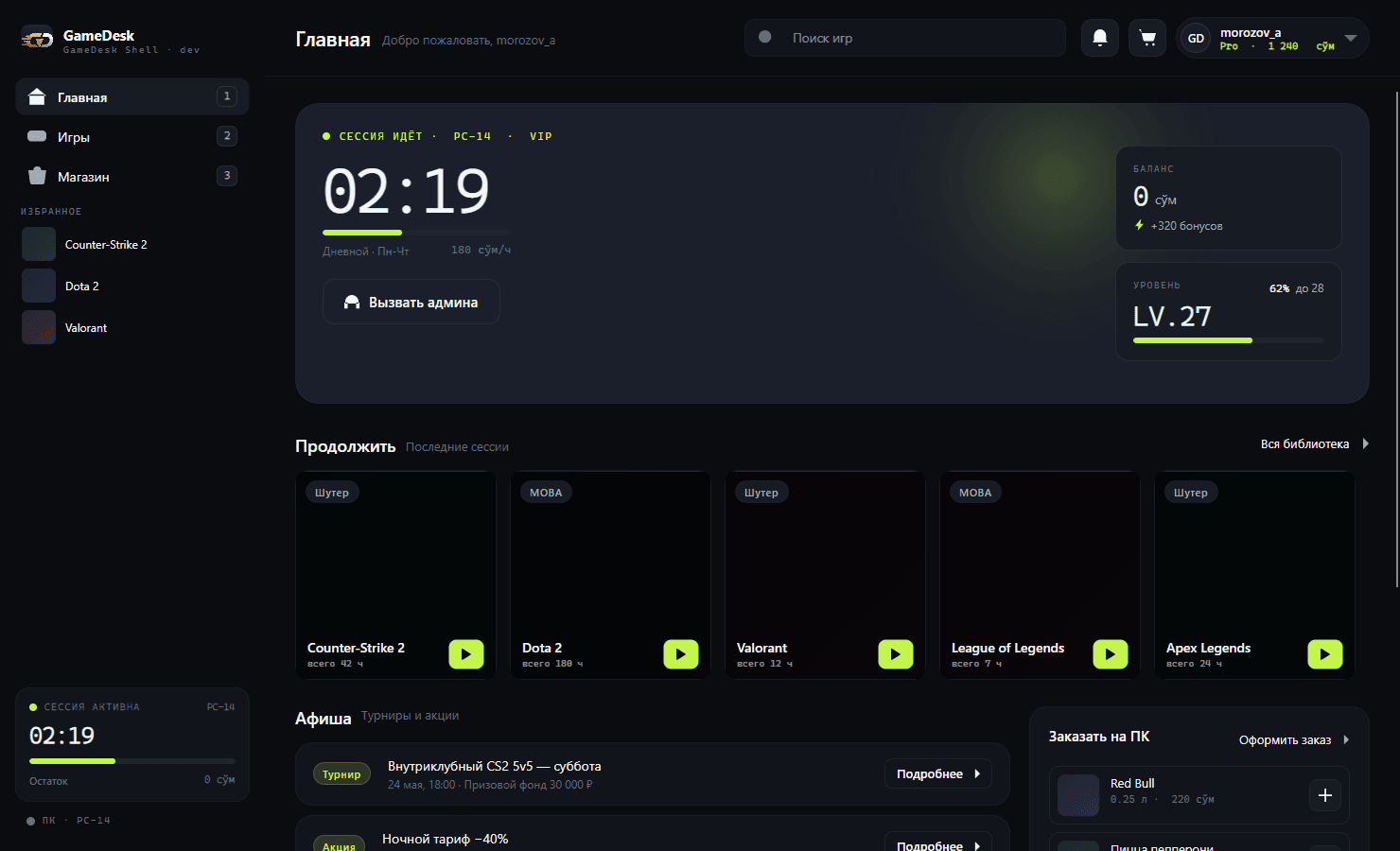
The GameDesk shell runs instead of the Windows desktop. Players sign in, pick a game, order snacks and keep an eye on their time - no operator needed and no access to the system. These are real screens.
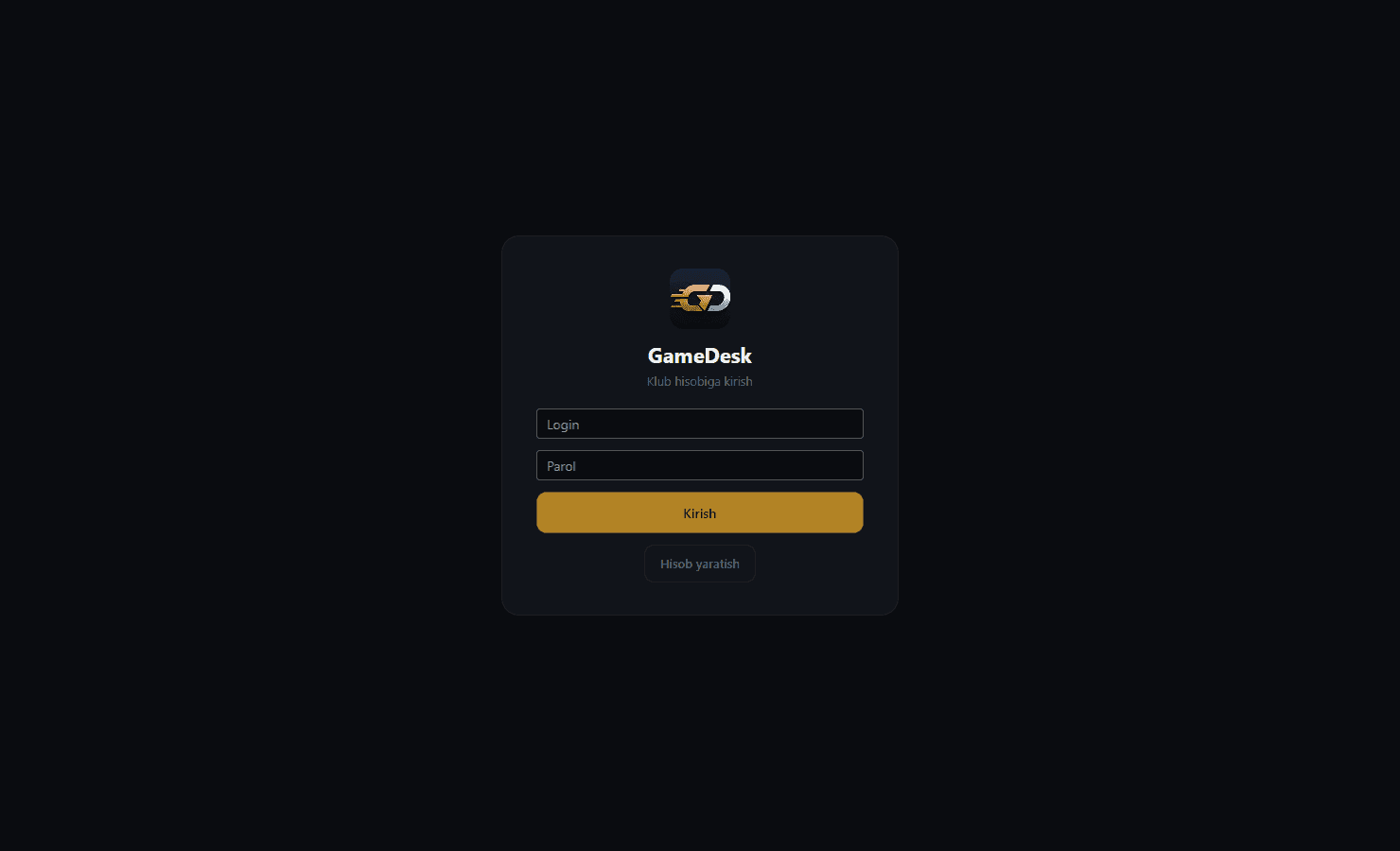
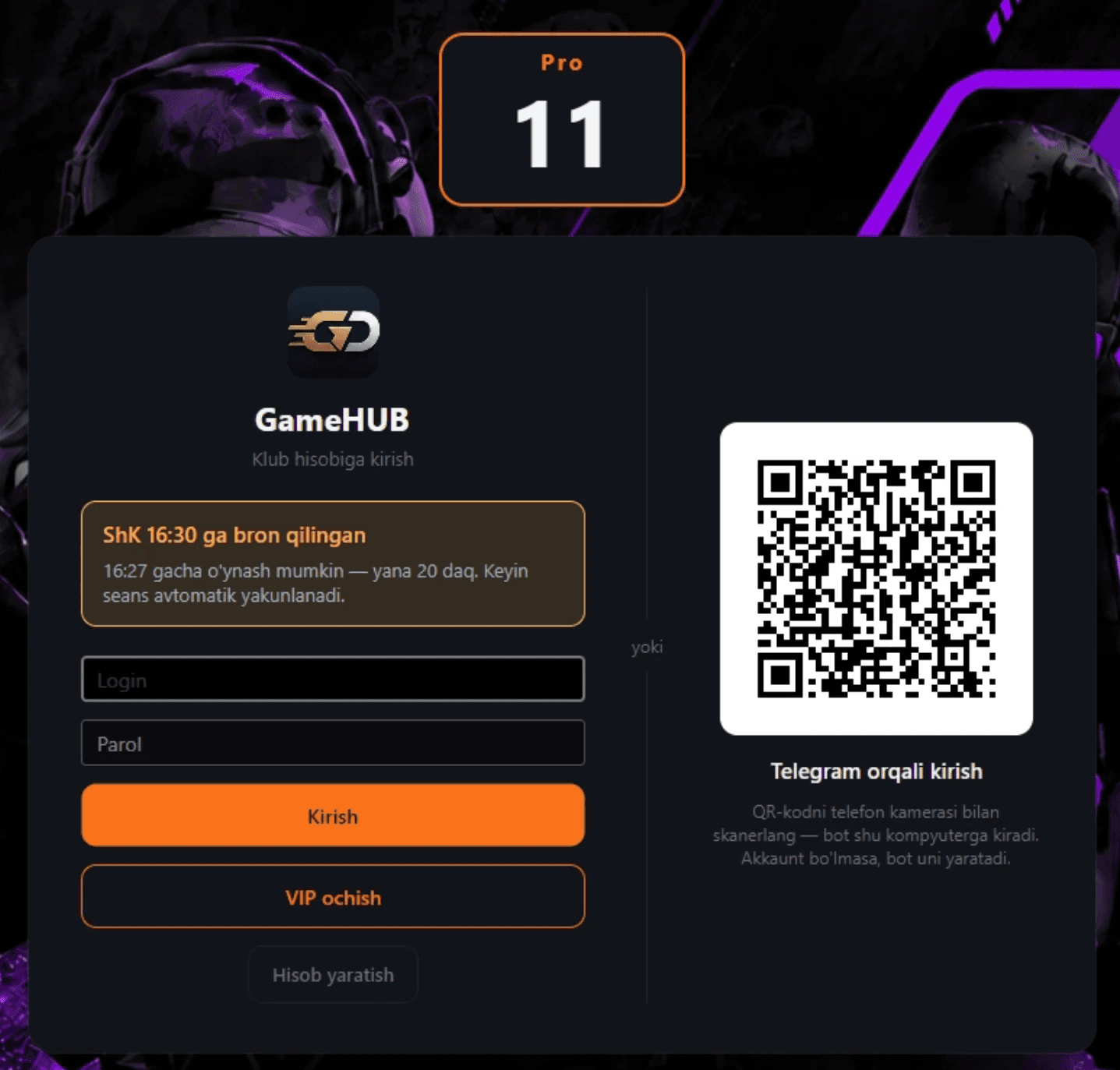
Sign in within seconds - Telegram included
Login and password, sign-up right at the PC, or a QR code: the player scans it with a phone and the club bot signs them in on that computer. No account yet? The bot creates one. The club sets its own branded login background.
- QR login via the Telegram bot
- Self sign-up without the operator
- Club background and logo
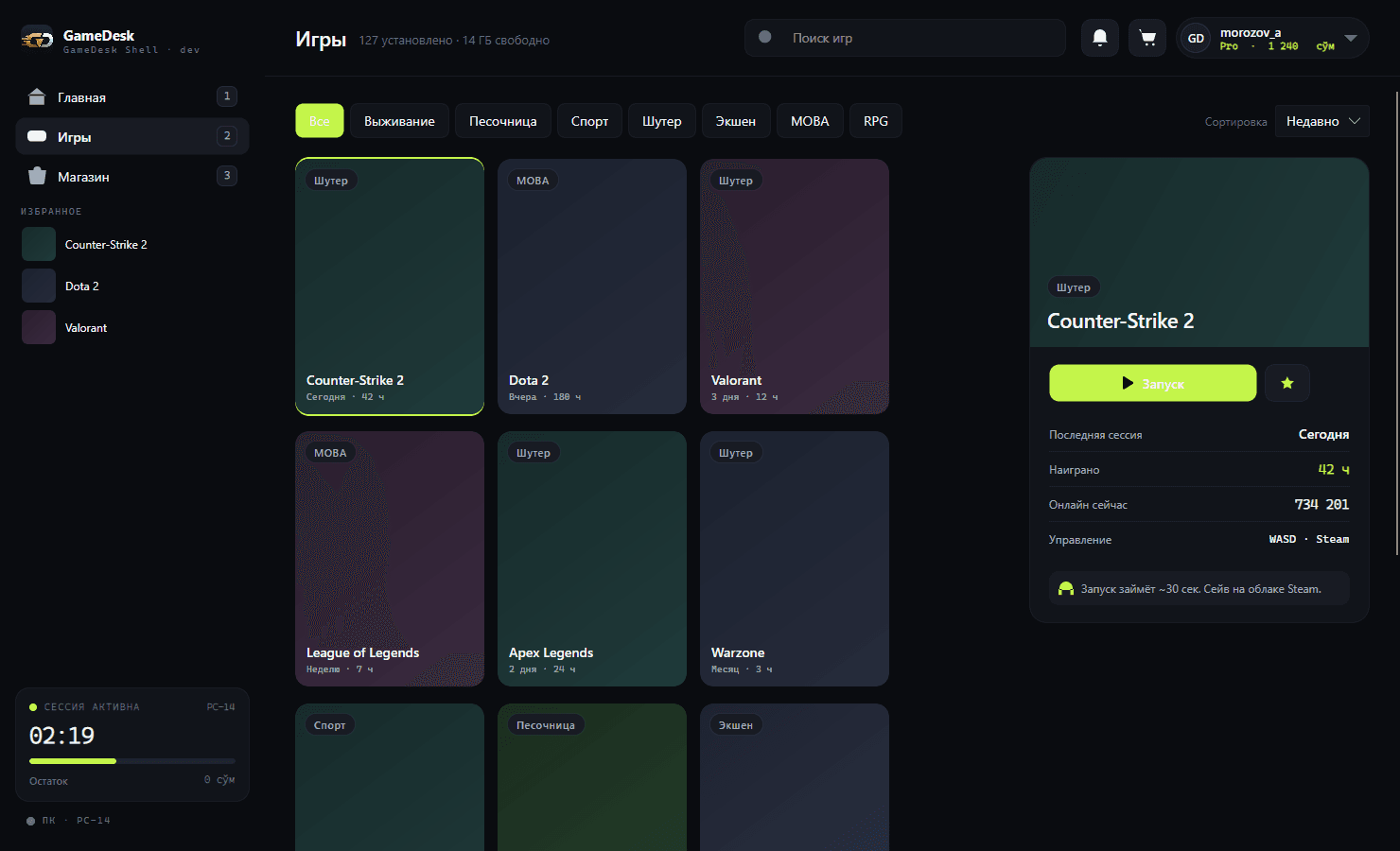
Game catalog with trailers
Every club game with covers, categories and sorting. The game card shows hours played, who is playing now and a video trailer. While a game is still downloading to the PC, the tile shows progress and blocks launching an incomplete install.
- Categories, search, favorites
- Trailer in the game card
- "Updating · N%" status
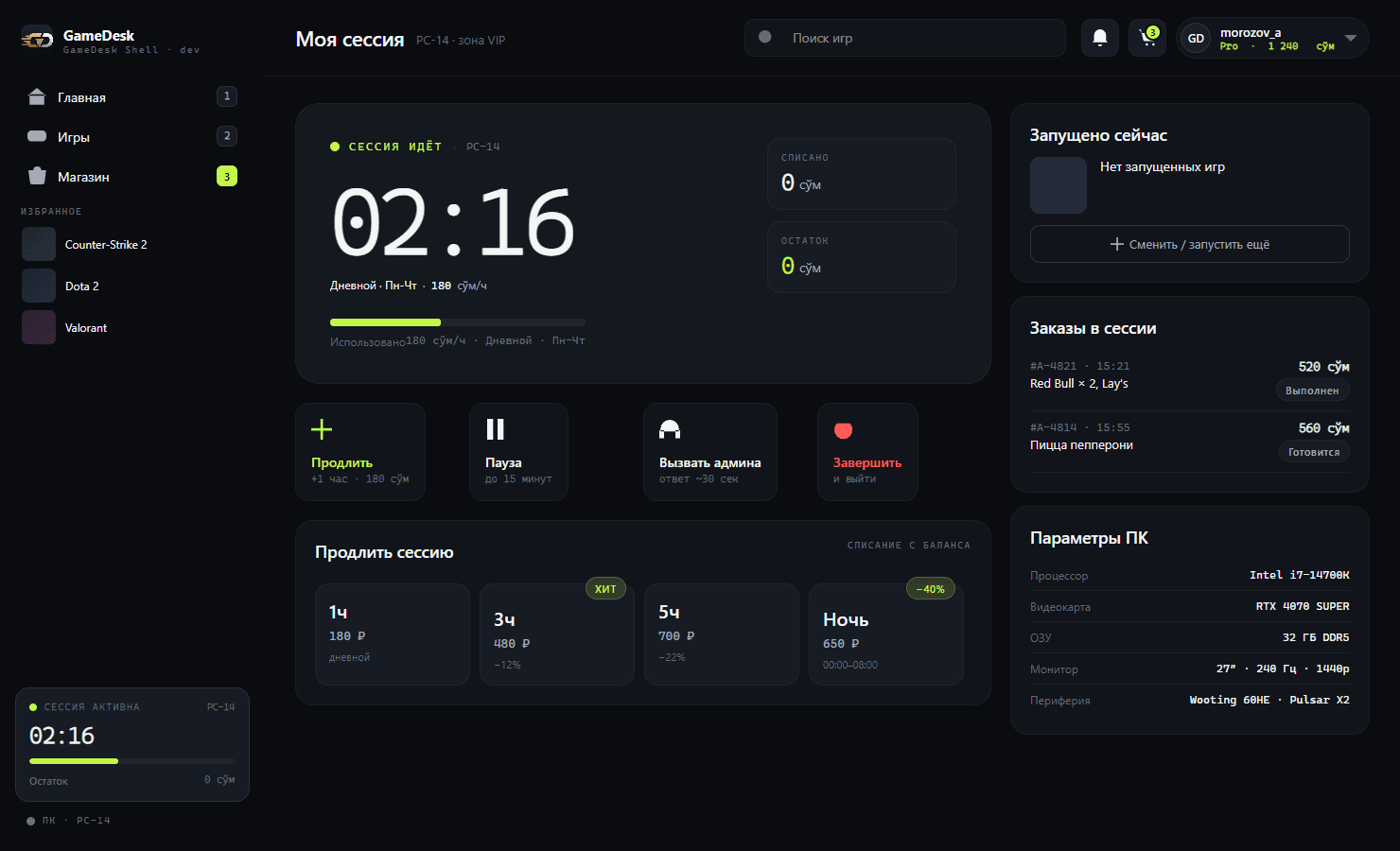
A transparent session
Time left, amount charged, the active rate. The shell warns before time runs out, and the "Call admin" button sends a signal straight to the front desk.
- Timer, charged and remaining
- Warning before time runs out
- "Call admin" with a sound alert for staff
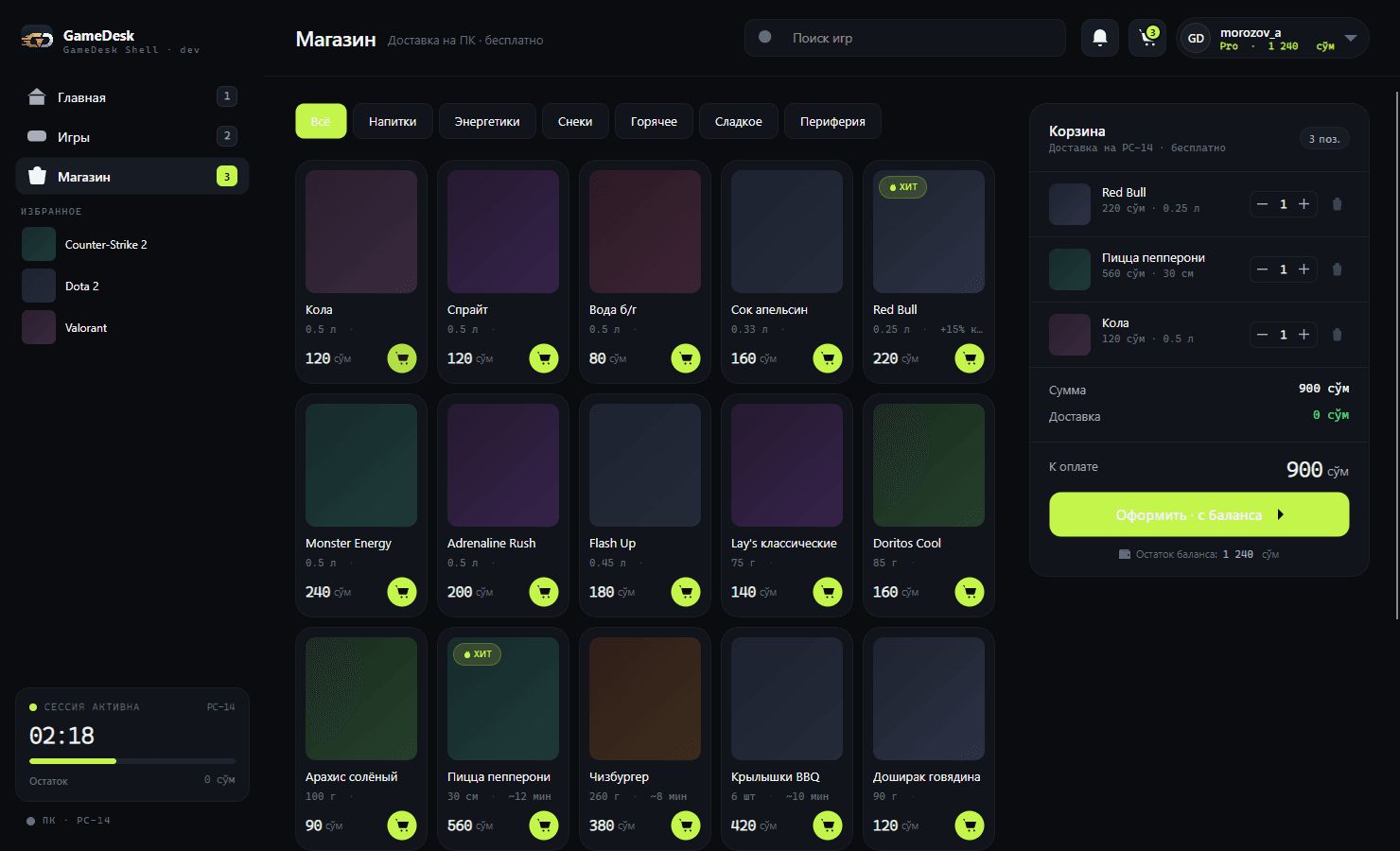
Shop, services and combos from the seat
Drinks, snacks, services like a racing wheel or VR, and ready-made "time + goods" combos - ordered right from the shell and paid from the balance. The operator gets the order on screen, the player sees its status.
- Cart and payment from balance
- Services and combo bundles
- Order status in the session
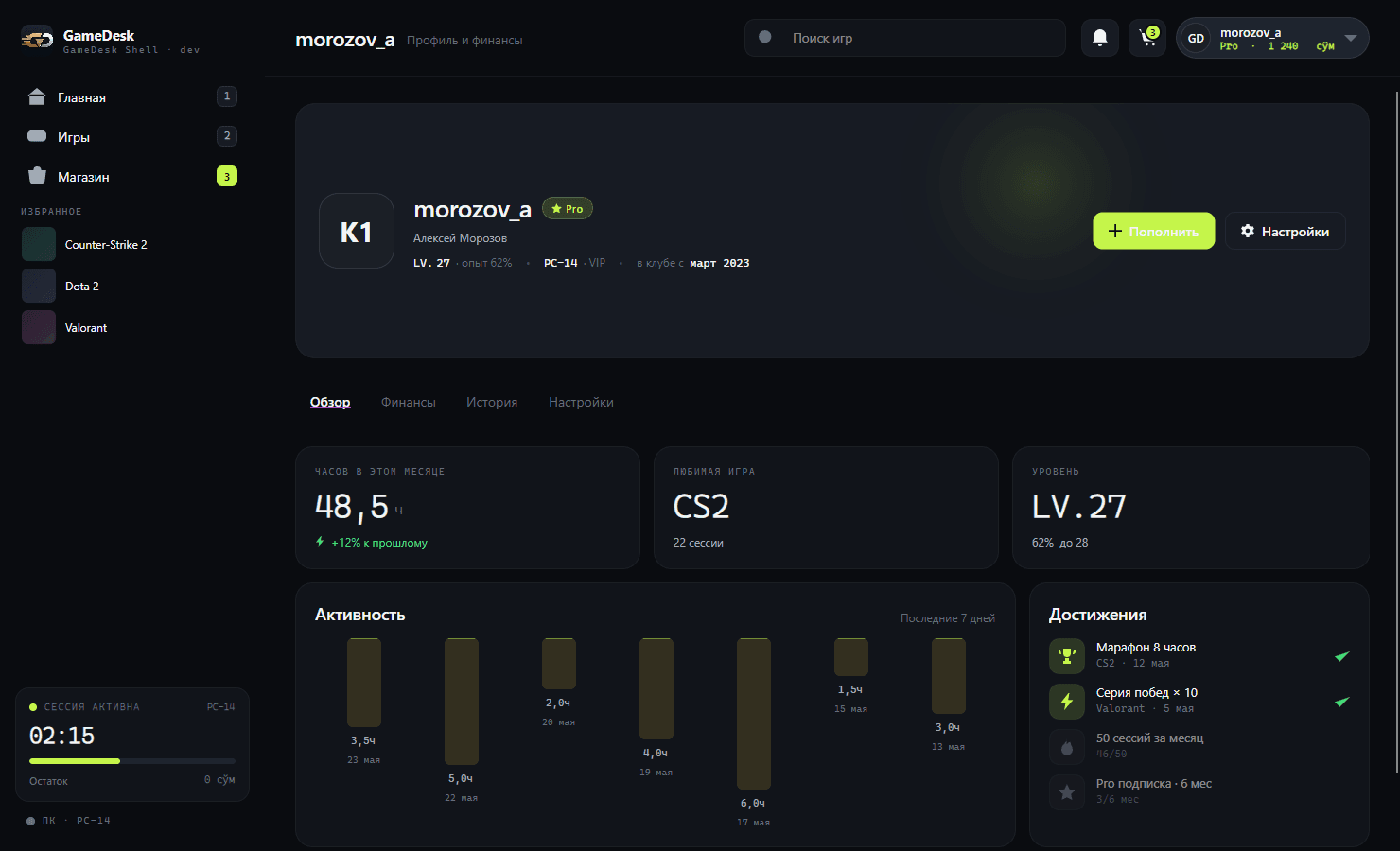
Player profile
Hours this month, favorite game, daily activity, level and bonus balance. Players see their own progress - and want to come back.
The PC knows about the booking
If a PC has a booking coming up, the login screen and the session show how long play is allowed and how much time is left. At 15 and 5 minutes the shell warns over the game, and when the booking starts the PC locks: only the booking owner or a friend with the code can sign in.
- "PC booked for 16:30 - play until 16:27"
- Warnings over the game
- Sign-in by booking code for friends in the group
Retention built into the shell
Mechanics that bring players back to the club.
Prize wheel
After a top-up the player spins the wheel: bonuses, goods, passes. The club sets the odds.
Chest and daily streak
3D chests for regular visits and hours played. Miss the window and the streak rolls back.
Level and discount
XP accrues for playing and purchases, the level unlocks a loyalty discount.
A kiosk that can't be bypassed
The shell replaces the desktop instead of running on top of it.
No desktop
No file explorer, no taskbar. The PC is locked until sign-in.
Bypass protection
System key combinations are intercepted, Task Manager and settings are unavailable.
Self-healing
A watchdog service restarts the shell if it crashes - the PC never stays open.
Built-in window switcher
Alt+Tab with clock and date, a power menu and on-screen volume - all inside the shell.
Chat
Messages with the admin and other PCs in the room, including images from the clipboard.
Three languages
Russian, Uzbek and English - players switch the language in the top bar.
See the shell live
We'll show on a test rig how a player signs in via Telegram, launches a game and orders from the seat.
Request a demo