
The whole club on one screen
The operator sees every PC, runs sessions and the cash desk, takes orders and controls computers without leaving the front desk. The panel runs on Windows and Linux.
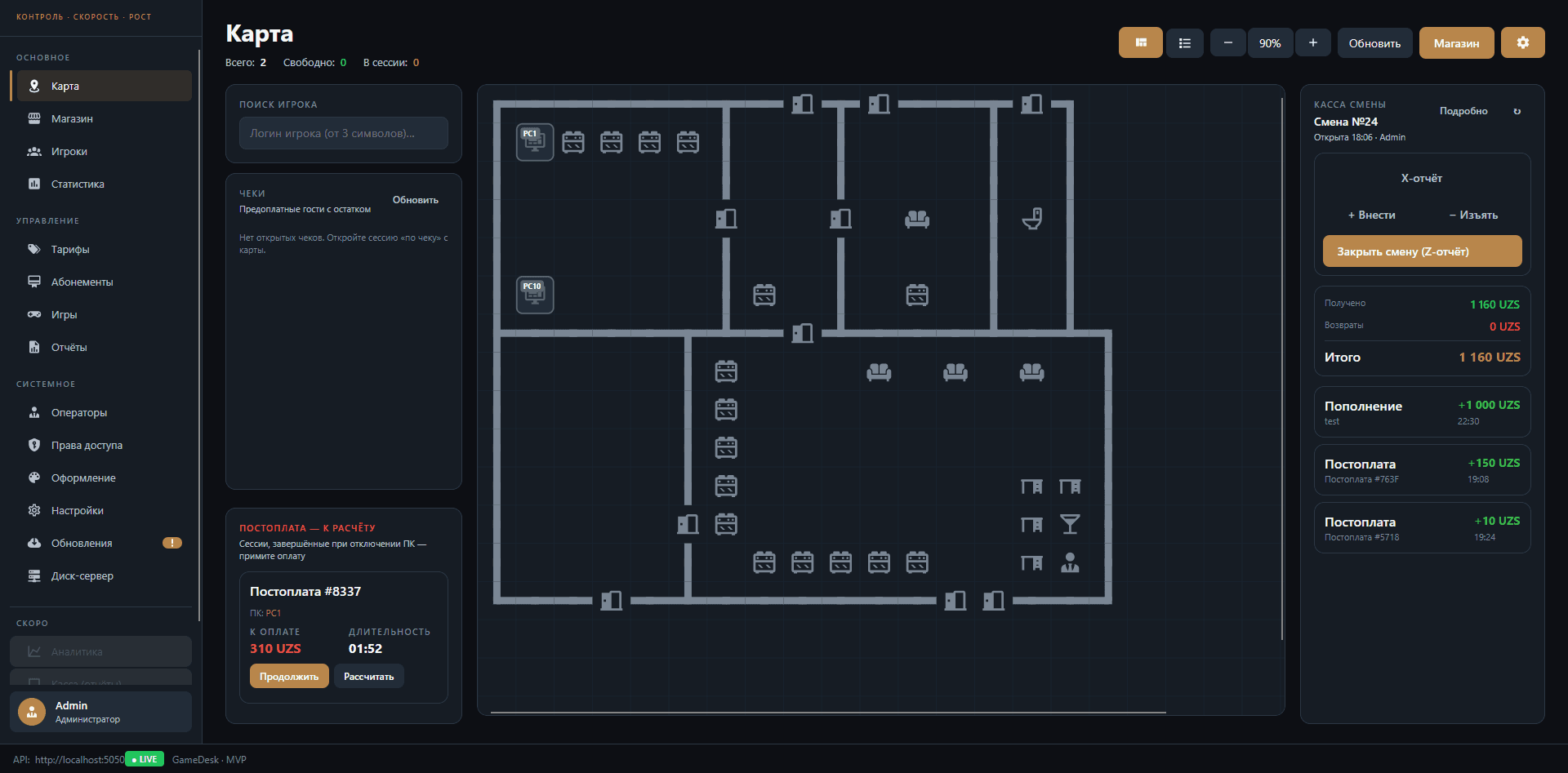
Club map and sessions
Zones and PCs on a floor plan: who is playing, how much time is left, which PC is free or under maintenance. From a PC's menu: start or extend a session, move a player, close with a receipt, sell a combo or a service.
- Prepaid, postpaid and passes
- Move a player without losing time
- Sound alert at the desk when a player's time is up
Cash desk and shifts
Top-ups and refunds go through the shift cash desk, every operation is logged. Top-ups have a touch console: large buttons, quick player search and new-order alerts.
- Open and close shifts
- Touch console for the cashier
- Activity log for every operator
Remote PC control
No need to walk to the computer: the panel shows the PC's screen and lets you take control, browse files, check processes, shell logs and network state. Power on, restart and shut down one PC or a whole group.
- Remote screen and control
- Files, processes, memory, logs
- Service mode for maintenance
- Auto power-off for idle PCs
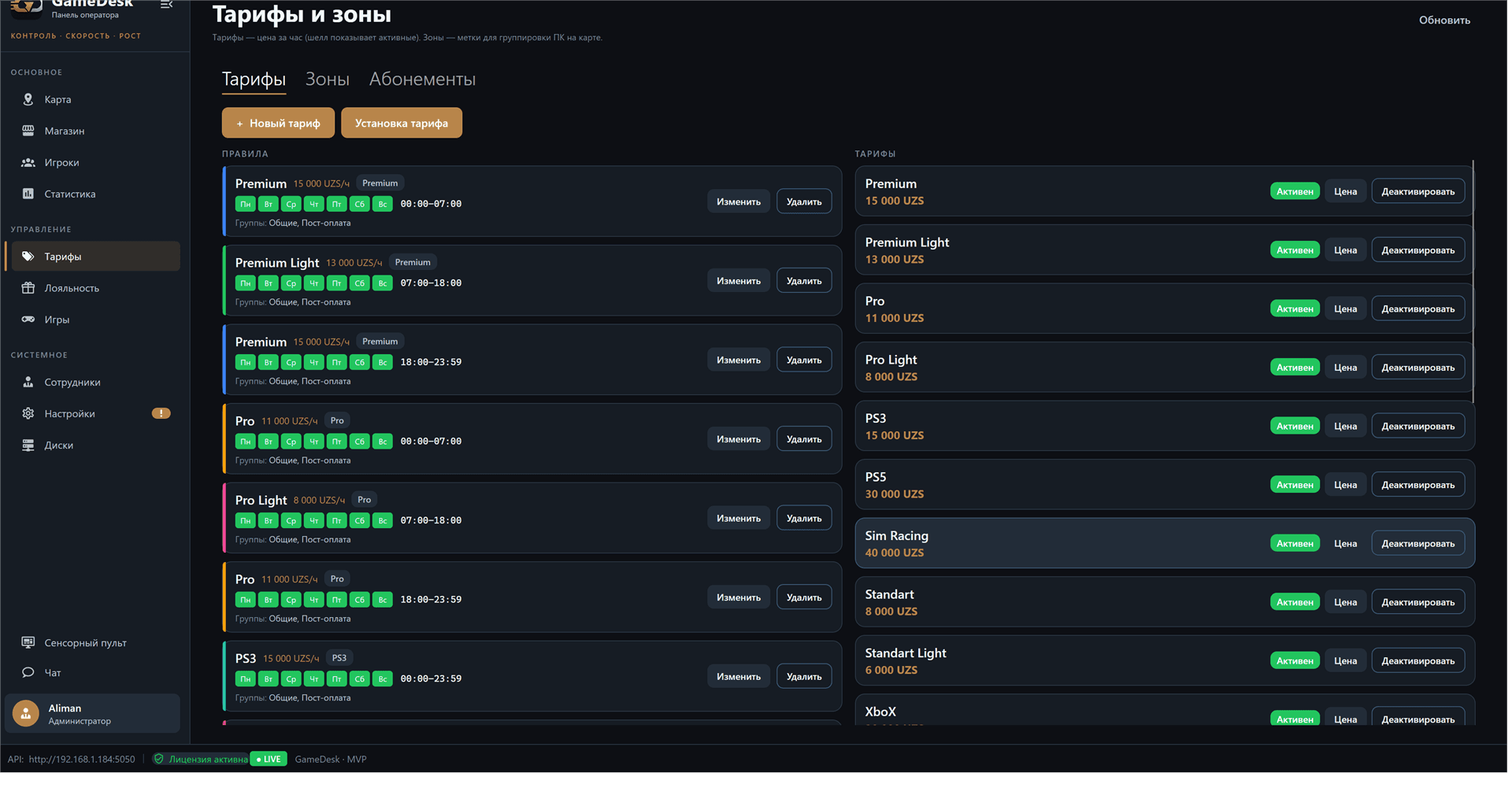
Rates by zone and hour
Rules set the price for a zone, player group, weekdays and hours: cheaper in the morning, pricier in the evening, separate prices for consoles and sim racing. A session switches to the right rate by itself when the time comes.
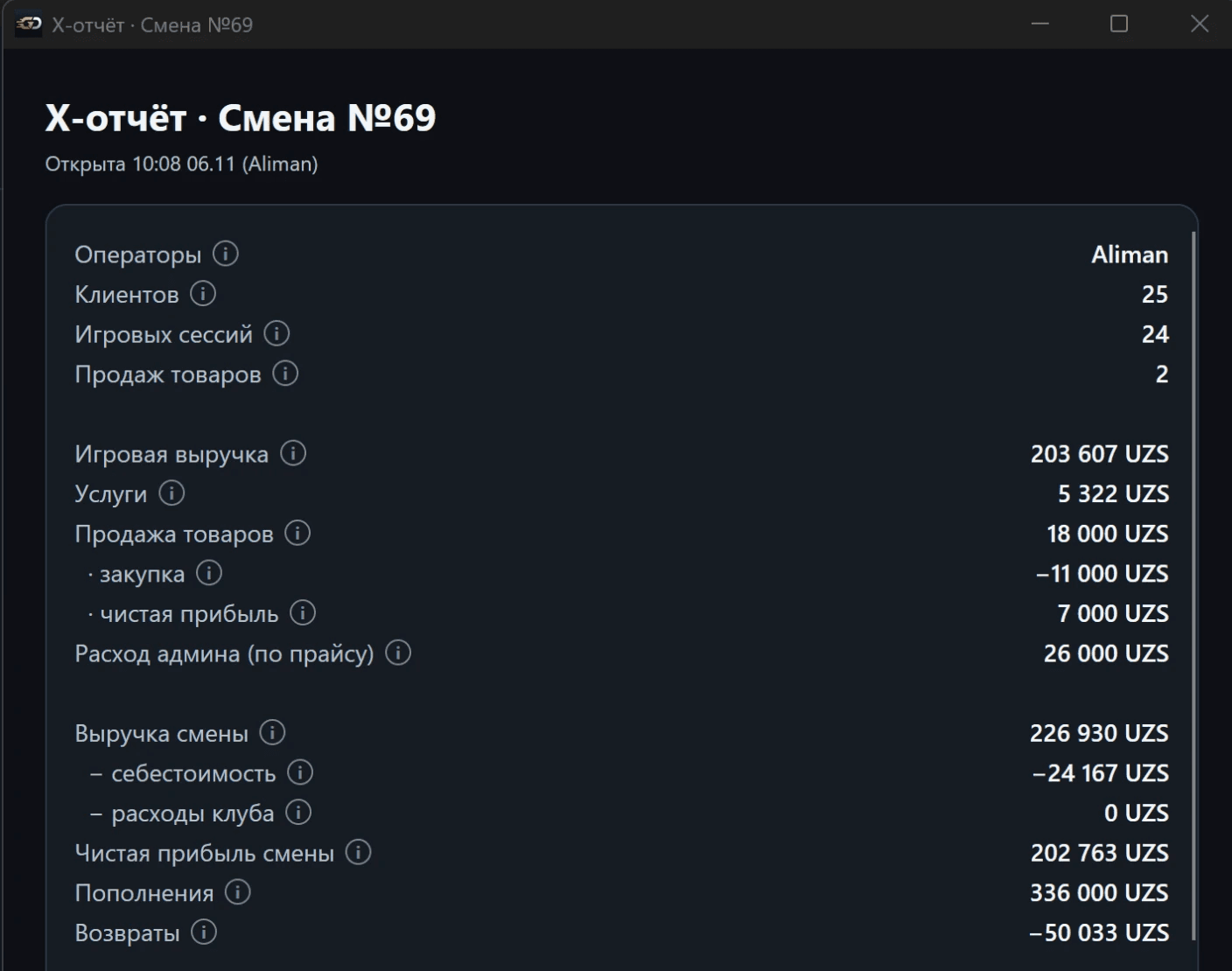
Profit, not just revenue
Every product has a cost price, so the shift report shows purchase cost and profit, not only sales. The club enters rent, salaries and utilities into the expense list, and the X/Z report shows net profit for the day. Goods a staff member takes at their own expense go to a separate "Admin expense" line instead of revenue.
- Revenue by time, services, goods, passes and combos
- Shop cost price and profit
- Club expenses and net profit in X/Z
- Z reports by day and a shift activity log
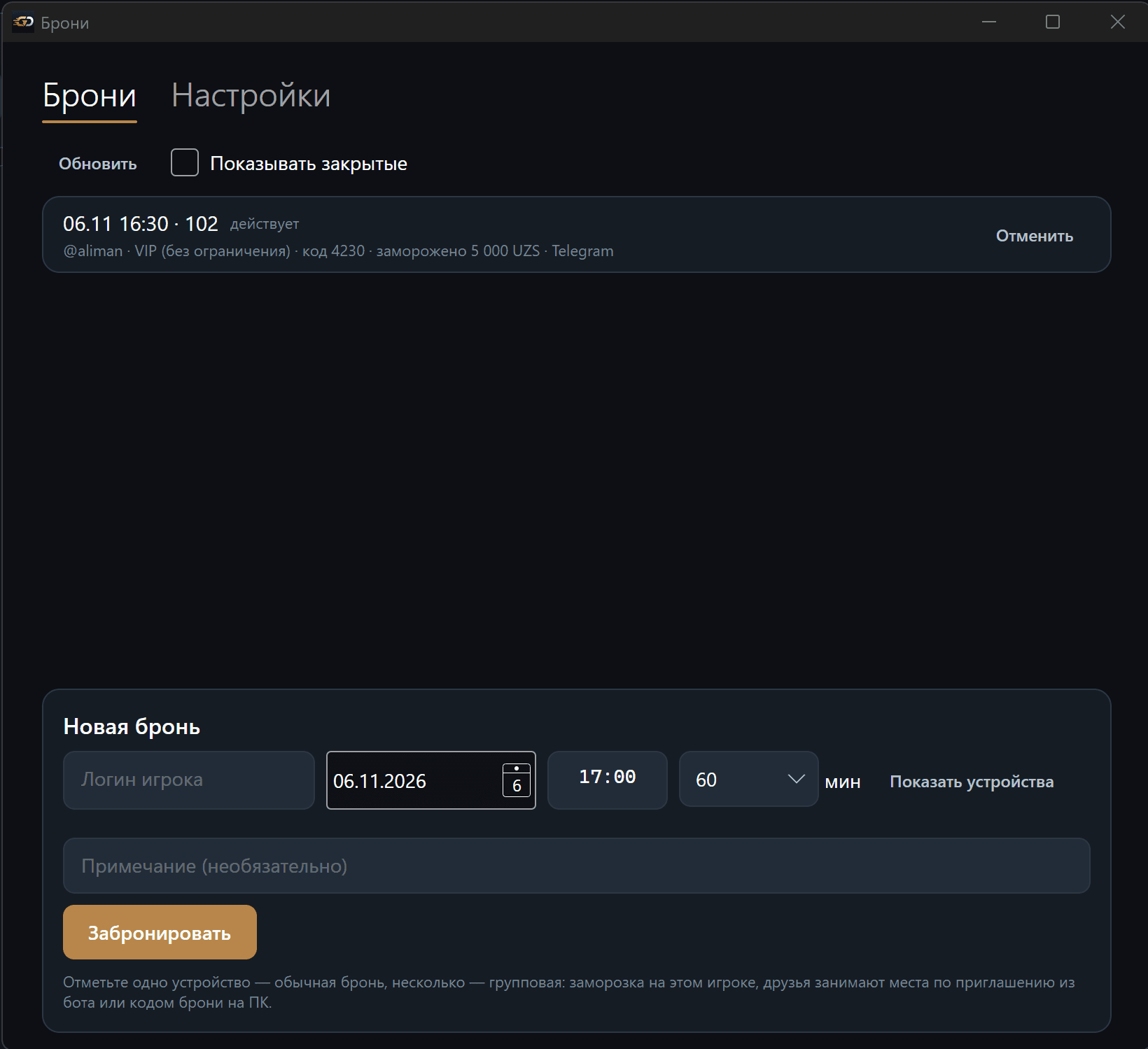
Bookings in the operator panel
The "Bookings" window opens right from the map: every booking for today and ahead, the code, the held amount and where the booking came from. The operator can book a PC by a player's login - one seat or several at once for a group - and set the PC lock window, the hold and the no-show penalty in the settings.
- Telegram and operator bookings in one list
- Group booking for several PCs
- Settings for the hold, penalty and PC lock time
Everything a shift needs
Shop and orders
Goods, services and combos. Orders from PCs land on a "new - preparing - delivered" board.
Rates and zones
Pricing by zone, day and hour, packages, passes and automatic rate switching.
Player card
Balance, sessions, purchases, level, bonuses, tags and operator log - in one window.
Stats and reports
Revenue, floor occupancy, sales and cash desk for any period.
Staff and permissions
Cashier and admin roles, separate permissions for ~40 actions. Only the superadmin can change them.
Shell branding
Brand, palette and screen layouts of the shell - make it look like your club.
Chat with every PC
Player messages and admin calls in one window.
Windows and Linux
The same panel on a Windows front-desk PC or on the club's Linux server.
One-click updates
The panel, shell and server update themselves - no site visit needed.
New for the cash desk and shift
Trust credit
A regular player can be allowed to play on credit up to a limit: money is spent first, then bonuses, then credit.
Power outage protection
When the power goes out, sessions pause from the moment of the outage and the downtime isn't charged to the balance.
Faster at the desk
Quick-amount buttons for top-ups, spending bonuses by a chosen amount, session services and goods in the PC tooltip on the map.
See an operator's working day
We'll walk you through the floor map, cash desk and orders on a demo rig - it takes 20 minutes.
Request a demo