
Games on every PC - without running around
GameDesk finds games on disks by itself, distributes them across the floor, launches them with club accounts and keeps player saves. The admin updates a game once - the rest happens automatically.
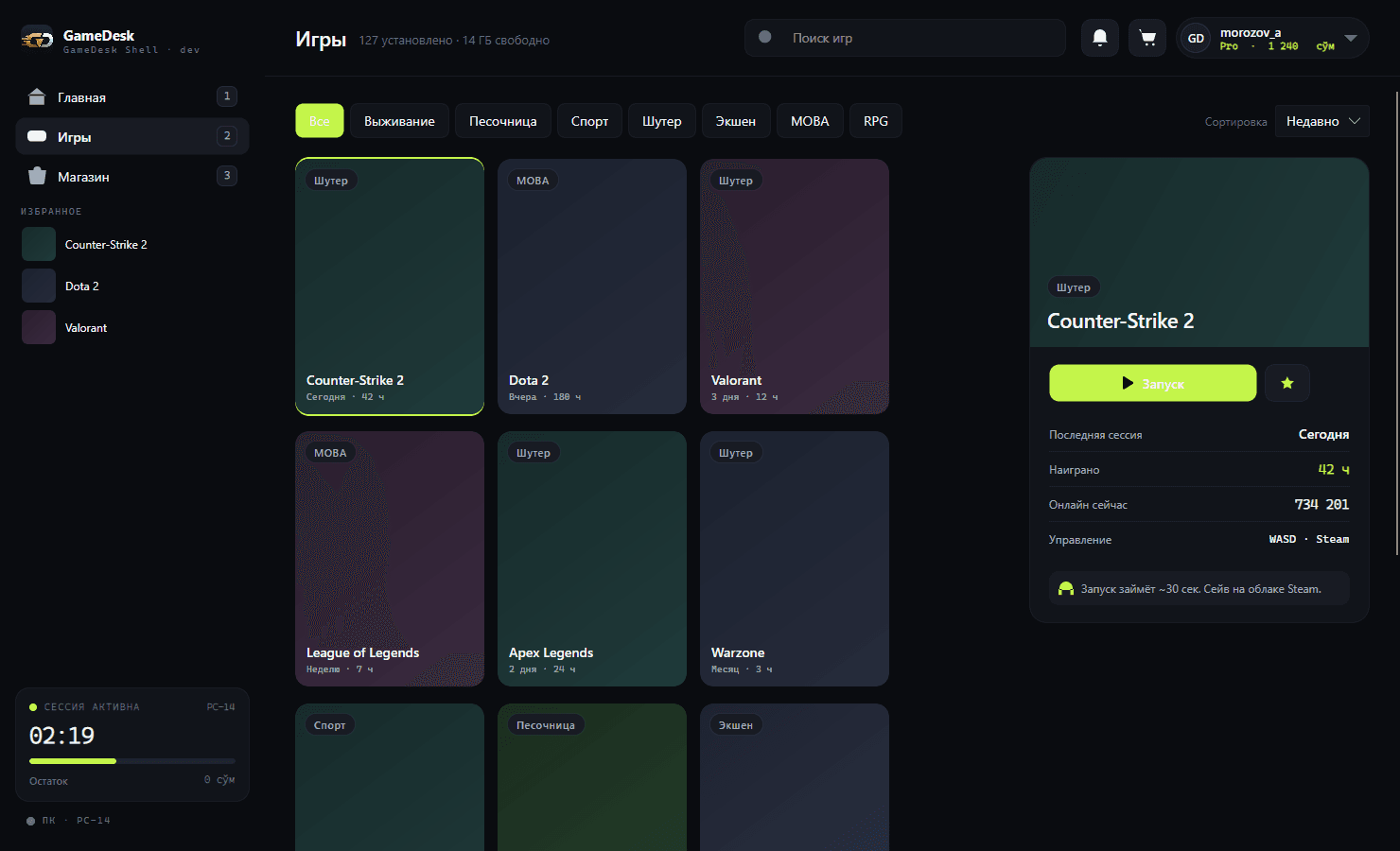
The catalog builds itself
The panel scans game disks, finds executables and pulls in covers and descriptions. You just review the list and sort games into categories - the shell shows them to players right away.
- Game discovery on disks
- Covers and descriptions automatically
- YouTube trailer in the game card
Game distribution across the floor
For clubs without server hardware: a game is updated on one PC and the other computers get it from each other over the local network. The club network doesn't get clogged, and the shell won't launch a game until it has fully arrived.
- No dedicated server needed
- Distribution progress per PC
- Launch blocked until download completes
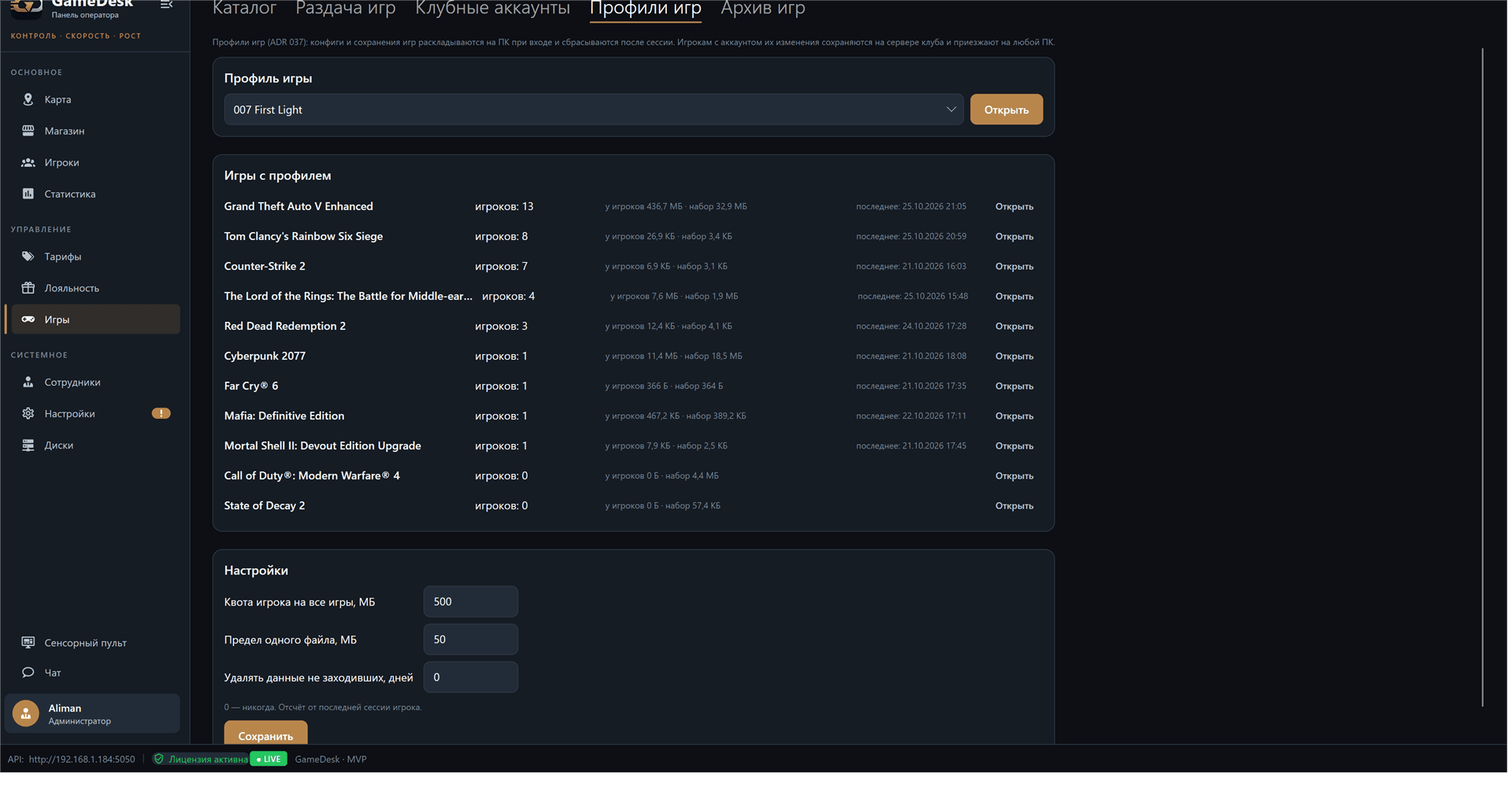
Player saves and settings
Game profiles carry configs and saves between PCs: a player sits at any computer and continues with their own settings. The club sets shared defaults and per-zone graphics, for example a separate CS2 config for the tournament zone.
- Saves and configs follow the player
- A template for guests and 5 save versions per player
- Layers: club, zone, player
- Per-zone game graphics
More features
Club accounts
The server signs club game accounts in on PCs by itself - players never type someone else's password.
Run as administrator
Games with anti-cheat or system components launch with the right privileges and no UAC prompt.
Game archive between clubs
Club networks share games that aren't sold in stores, directly between their servers.
A personal disk for every PC
With diskless boot each PC writes updates to its own layer, keeping the shared image clean.
Let's look at your game library
Tell us how many PCs you have and how you update games today - we'll suggest how to set it up in GameDesk.
Request a demo